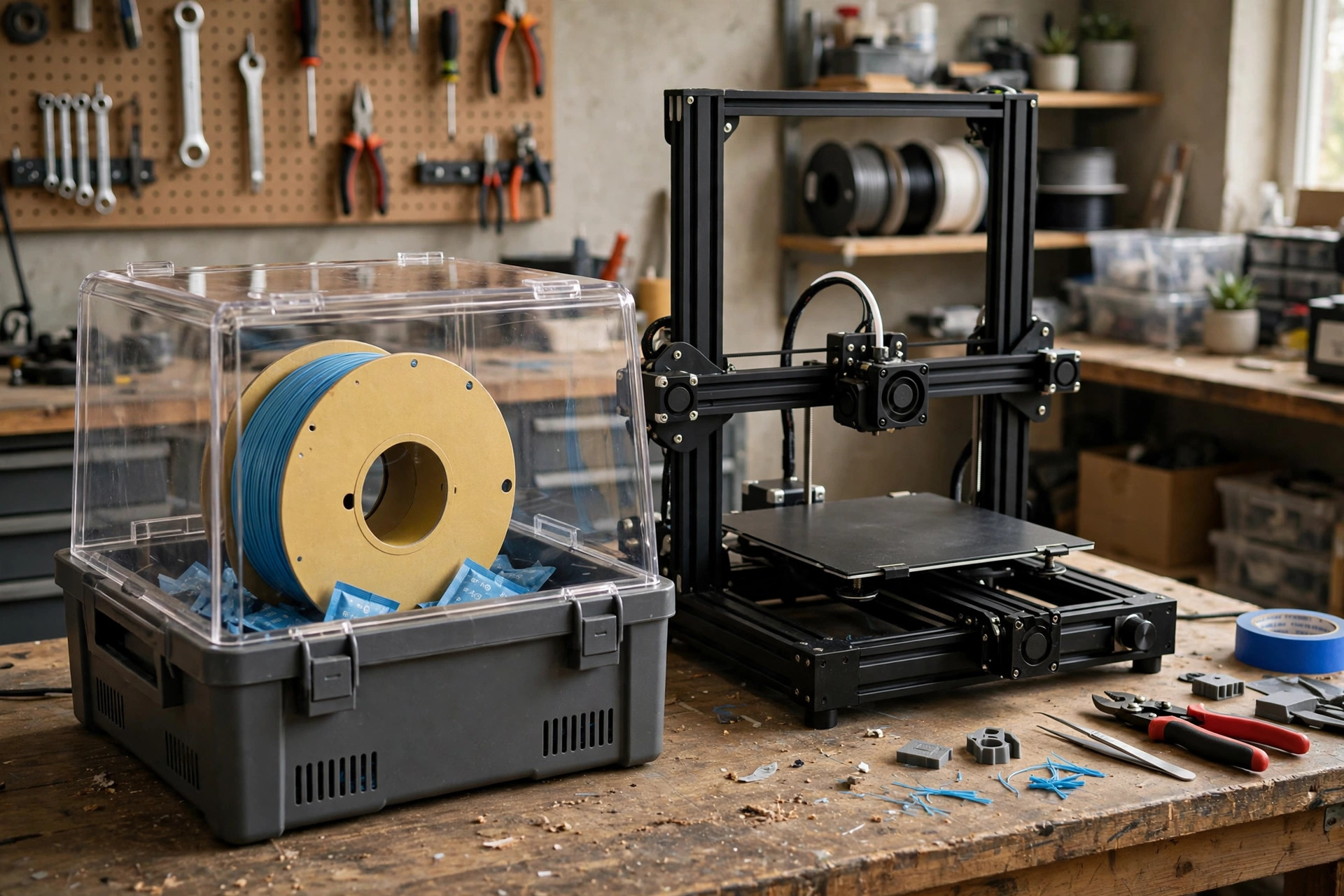
Stringy, popping, rough-surfaced prints are usually blamed on the printer, the slicer, or the filament brand — and are very often just water. Filament absorbs moisture from the air, and when that moisture hits a 220°C nozzle it flashes to steam and wrecks your print from the inside. A filament dryer is the unglamorous upgrade that fixes it, and in 2026 a good one costs less than three spools of the filament it saves. This guide explains how drying works, which materials need it most, and the five dryers and storage options worth buying.
Last updated: October 13, 2026 · Prices and availability checked October 2026.
PrintDialed is reader-supported. When you buy through links on our site, we may earn an affiliate commission.
Our picks
- Single-spool filament dryer (SUNLU S2 class) Best overall
- Dual-spool filament dryer Best for two printers
- Four-spool filament dryer (SUNLU S4 class) Best for multicolor
- Budget filament dryer under $40 Best budget
- Sealed filament storage box with hygrometer Best storage partner
| Product | Best for | Key spec | Price |
|---|---|---|---|
| Single-spool filament dryer (SUNLU S2 class) | Most printer owners | Heats to ~70°C · dries while printing · touch controls | Check price → |
| Dual-spool filament dryer | Two-printer & AMS benches | Two independent chambers · feeds two machines | Check price → |
| Four-spool filament dryer (SUNLU S4 class) | Multicolor & high-volume printing | Four spools · auto humidity mode · feeds multi-material units | Check price → |
| Budget filament dryer under $40 | First dryer on a budget | Fixed or 2-level heat · basic timer · no frills | Check price → |
| Sealed filament storage box with hygrometer | Keeping dry filament dry | Passive · gasket seal · hygrometer · desiccant | Check price → |
How to tell your filament is wet
Wet filament announces itself if you know the signs: a faint popping or crackling from the nozzle as steam escapes, stringing that no retraction setting fixes, a rough or matte surface on filament that used to print glossy, cloudy transparent filament, and parts that snap far more easily than they should. Any one symptom can have other causes — run through our print-failure guide — but two or more together, especially after a spool has sat out for weeks in a humid room, is water until proven otherwise.
Which filaments need drying most
Nylon is the extreme case — it can absorb enough moisture in a day to ruin prints, and it should live in a dryer, printing straight from the box. TPU and PETG are next: both print noticeably better dried, and PETG stringing in particular is often just moisture. PLA is the most forgiving but not immune — months in a humid room will make it brittle enough to snap in the feed tube, and a few hours of drying restores it. If you print the engineering materials in our functional filaments guide, treat a dryer as mandatory equipment, not an accessory.
Drying temperatures, in plain terms
As working ranges: PLA around 45–50°C for 4–6 hours, PETG around 55–65°C for 4–6 hours, TPU around 50–55°C, and nylon up to 70–80°C for 8–12 hours. Two cautions matter more than the exact numbers. First, do not exceed your spool's comfort — cheap plastic spools can soften at nylon temperatures, so transfer loose filament to a rated spool or accept the risk knowingly. Second, a food dehydrator or oven can work in a pinch, but oven thermostats are notoriously inaccurate at these low ranges; a purpose-built dryer is the safer tool, which is the entire premise of this guide.
How we compared them
We compared dryers on maximum temperature and whether heat is fan-circulated (hot spots dry unevenly), capacity and spool-size limits, whether the box can feed the printer while drying, humidity display, and timer and auto-hold features. An honest note: these are researched roundups built from manufacturer specifications and aggregated owner reviews — not instrumented lab tests of every unit. The guidance below is about matching dryer capacity and temperature to the materials you actually print.
The five filament dryers worth buying in 2026
Single-spool filament dryer (SUNLU S2 class) Best overall
The default recommendation for a reason: a single-spool heated dryer that feeds filament straight into your printer fixes the most common invisible problem in home 3D printing. Filament — especially PETG, TPU, and any nylon — absorbs moisture from room air, and wet filament prints with popping sounds, stringing, rough surfaces, and weak layer adhesion. A heated dryer reverses that in 4–6 hours and keeps the spool dry while it prints.
The S2 class sets the template: a sealed lid, a fan for even heat, a small screen showing temperature and humidity, and a PTFE tube port so the spool never has to leave the box. If you own one printer and print mostly PLA and PETG, this is the dryer to buy — everything above it is about capacity, not better drying.
Pros
- Fixes stringing, popping, and brittle prints at the source
- Dries one spool while it feeds the printer
Cons
- One spool at a time
- Small spools and 3kg spools may not fit — check dimensions
Our verdict: Fixes stringing, popping, and brittle prints at the source — the pick for most printer owners.
Best for: Most printer owners. Not ideal for: One spool at a time.
Dual-spool filament dryer Best for two printers
If two printers share your bench — or one printer runs a multi-material unit — a dual-spool dryer stops the nightly spool shuffle. Two chambers (ideally with independent temperature control, since PETG and PLA dry at different settings) let you keep the next job drying while the current one prints.
The honest trade is footprint and price: a dual dryer is a bench appliance, not an accessory. Buy it when you catch yourself re-drying the same spool for the third time, or when a second printer has entered your life. Below that threshold, the single-spool pick plus sealed storage covers you.
Pros
- Two filaments ready at once, independently heated
- Ends the dry-print-dry shuffle for multi-printer benches
Cons
- Bench footprint and price of a small appliance
- Overkill for a single-printer PLA hobbyist
Our verdict: Two filaments ready at once, independently heated — the pick for two-printer & ams benches.
Best for: Two-printer & AMS benches. Not ideal for: Bench footprint and price of a small appliance.
Four-spool filament dryer (SUNLU S4 class) Best for multicolor
Multicolor printing quietly assumes four dry spools at all times — and in a humid room, four spools left out are four spools slowly getting wetter. A four-spool dryer like the S4 class keeps an entire multi-material set dry and feeding at once, with an auto mode that holds humidity down between jobs.
This is a specialist purchase, and we are honest about that: if you print single-color PLA on one machine, it solves a problem you do not have. If you run a Bambu-style AMS or an AD5X-class multicolor setup daily — see our multicolor printers guide — it is the difference between planning prints around drying and just printing.
Pros
- Keeps a full multicolor set dry and ready
- Auto humidity control between jobs
Cons
- The priciest category here
- Largest footprint; pointless for single-spool workflows
Our verdict: Keeps a full multicolor set dry and ready — the pick for multicolor & high-volume printing.
Best for: Multicolor & high-volume printing. Not ideal for: The priciest category here.
Budget filament dryer under $40 Best budget
The cheapest heated dryers give up the screen, the fan, and the fine temperature control — and still dry filament, which is the job. A simple heated box with a timer transforms a spool of stringy PETG overnight just as surely as a premium unit; it just makes you guess a little more about temperature and check on it yourself.
Two buying rules in this band: confirm the maximum temperature reaches at least 55–60°C (some ultra-cheap boxes barely warm the air), and buy where returns are easy, because hinge and latch quality is where the savings show. As a first dryer for a PLA-and-PETG bench, it is money well spent; nylon users should step up to a hotter, fan-equipped model.
Pros
- Real drying at the lowest price
- Simple — nothing to configure wrong
Cons
- Lower max temperature struggles with nylon
- No display or fan on most models
Our verdict: Real drying at the lowest price — the pick for first dryer on a budget.
Best for: First dryer on a budget. Not ideal for: Lower max temperature struggles with nylon.
Sealed filament storage box with hygrometer Best storage partner
A dryer fixes wet filament; storage prevents it. A gasket-sealed box with a hygrometer and rechargeable desiccant keeps dried spools at low humidity for months, and vacuum storage bags do the same job per-spool for a few dollars each. Every serious bench ends up with both halves of this system — active drying and passive storage.
Buy storage sized to your real collection, and put the hygrometer where you can see it: a box that quietly sits at 45% humidity because nobody recharged the desiccant is furniture, not storage. Paired with any dryer above, this is the cheapest print-quality upgrade in this entire guide.
Pros
- Prevents re-wetting — the cheap half of the system
- Hygrometer tells you the truth about your storage
Cons
- Passive only — cannot rescue an already-wet spool
- Desiccant needs periodic recharging or replacing
Our verdict: Prevents re-wetting — the cheap half of the system — the pick for keeping dry filament dry.
Best for: Keeping dry filament dry. Not ideal for: Passive only — cannot rescue an already-wet spool.
Our verdict
Buy the single-spool dryer if you own one printer — it is the correct default and the end of most moisture problems. Step up to the dual when a second printer arrives, and to the four-spool only when multicolor printing makes it necessary. Whatever you buy, add the sealed storage box: drying a spool and then leaving it on a shelf in a humid room just restarts the clock. Dry, store sealed, print from the box — that loop is the whole system, and it costs less than the filament it rescues in a single season.
Frequently asked questions
Can I dry filament in my oven instead?
People do, but oven thermostats at 50–70°C can swing 15 degrees or more, which risks softening a spool of PLA into an expensive disc. A dedicated dryer holds a gentle, even temperature for hours and doubles as storage and a feed box — it earns its price quickly if you print weekly.
How long does dried filament stay dry?
In open room air, days to weeks depending on the material and your humidity — nylon can go bad in a day, PLA may last months. In a sealed box with desiccant under about 20% humidity, months. That is why storage is a pick in this guide, not an afterthought.
Does drying fix brittle PLA that snaps?
Often, yes — brittleness in PLA that has sat out is usually absorbed moisture, and 4–6 hours at 45–50°C restores much of its flex. PLA that has been baked in a hot garage for a year may be genuinely degraded; drying is still the cheap first test.
Do I need a dryer if I only print PLA?
Not urgently — PLA is the most forgiving material. You need one the first time a spool turns brittle or stringy after a humid month, and in a Gulf-Coast or basement workshop that month comes for everyone eventually. The budget pick exists for exactly that moment.