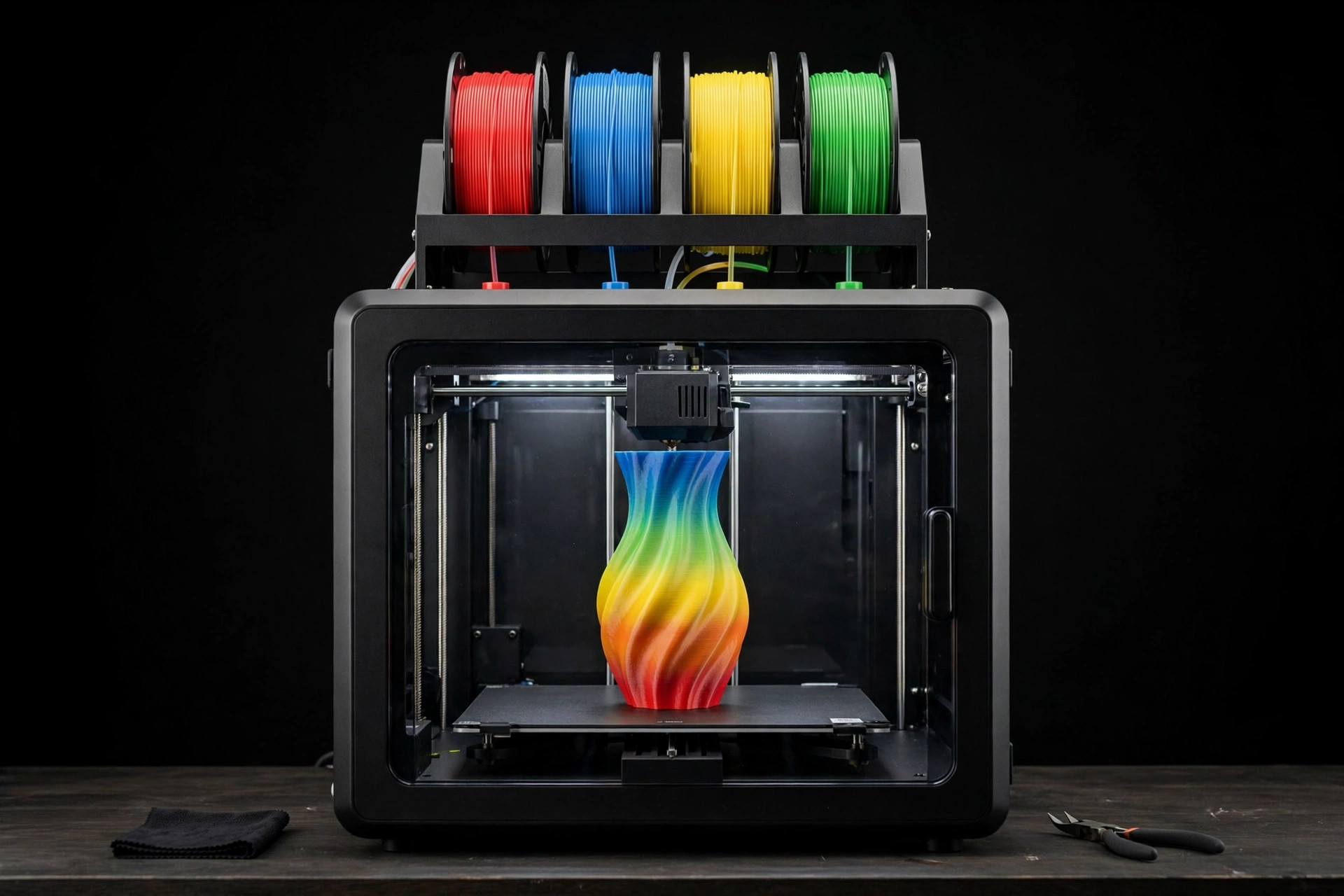
A single-color print is a prototype. A multicolor print is a finished object — signage, toys, cosplay parts, and models that need zero painting to look spectacular. The catch is that "multicolor 3D printer" covers two completely different technologies with wildly different costs, speeds, and waste profiles. Buy the wrong one and you get beautiful prints at glacial speed and a bin full of purge plastic. This guide explains how the two systems actually work, what multicolor really costs you in time and filament, and the five machines worth your money in 2026.
Last updated: October 7, 2026 · Prices and availability checked October 2026.
PrintDialed is reader-supported. When you buy through links on our site, we may earn an affiliate commission.
Our picks
- Bambu Lab A1 Combo Best overall
- Bambu Lab P1S Combo Best enclosed multicolor
- Creality K2 Plus Combo Best large-format multicolor
- Anycubic Kobra 3 Combo Best budget multicolor
- Prusa MK4S + MMU3 Best for tinkerers
| Product | Best for | Key spec | Price |
|---|---|---|---|
| Bambu Lab A1 Combo | First-time multicolor buyers (PLA/PETG) | AMS Lite 4-filament; auto-calibration | Check price → |
| Bambu Lab P1S Combo | ABS/ASA multicolor and humid climates | Enclosed CoreXY; sealed AMS | Check price → |
| Creality K2 Plus Combo | Helmets, signage, big assemblies | Large enclosed volume; CFS changer | Check price → |
| Anycubic Kobra 3 Combo | Classrooms, kids, second machines | ACE Pro 4-color; dries filament | Check price → |
| Prusa MK4S + MMU3 | Makers who maintain their machines | 5-filament; open-source | Check price → |
How we test
We compare manufacturer specs, community feedback, and verified owner reviews; we don’t accept free products for placement.
The two multicolor technologies, honestly explained
Single-nozzle filament changers (Bambu Lab's AMS, Creality's CFS, Anycubic's ACE Pro) feed multiple spools into one hotend, swapping filaments mid-print. One nozzle, four or more colors, and a mechanism that parks each filament when it is not in use. This is how most multicolor printers work in 2026, and it is why the technology got affordable: the printer itself is barely different from a single-color machine.
The cost is the purge tower. Every filament swap pushes the old color out of the nozzle before the new one prints, and that waste adds up — on a print with hundreds of color changes, purge can exceed the model itself. Slicers mitigate it with flush-into-infill and flush-into-object settings, but multicolor on a single nozzle is fundamentally slower and hungrier than single-color printing. Budget roughly double the print time and meaningfully more filament.
Multi-tool / toolchanger machines carry a separate hotend for each color and swap entire toolheads instead of filaments — no purge, no flush, full speed. They are dramatically more efficient on color-heavy prints. They are also dramatically more expensive, more complex, and aimed at small businesses rather than home users. For 2026 home buyers, the honest summary is: filament changers won the consumer market, and toolchangers are a specialist purchase you will know you need when you need it.
What multicolor really costs you
Beyond the printer price, count three costs. Time: every swap adds seconds, and a 500-swap print can add hours. Designs with color changes concentrated in a few layers (text on top, a colored base) print fast; designs with confetti color on every layer print slowly. Filament waste: expect 20–50% extra material on typical multicolor prints, more on color-dense ones — tune the slicer's flushing volumes down from the defaults to claw some back. Drying: a four-spool changer is four spools absorbing humidity; in damp climates a filament dryer stops being optional and starts being load-bearing.
None of this is a reason not to buy multicolor. It is a reason to buy it with open eyes and to design — or choose — models that respect the swap cost. The printers below are ranked by how well they manage those trade-offs, not just by how many colors they promise.
How we compared them
We compared current-generation multicolor machines on the specs that decide the ownership experience: number of supported filaments, whether the changer is enclosed (humidity matters), swap reliability as reported by owners, print speed in multicolor mode, build volume, noise, and the ecosystem around the machine — slicer support, spare parts, and community size. We weighted reliability and total cost of ownership over raw color count: a four-color system that jams weekly loses to a two-color system that never does.
An honest note: these are researched roundups built from manufacturer specifications, published benchmarks, and aggregated owner reviews — not hands-on testing of every machine. The goal is to give you the right framework and the right shortlist, so you can verify the current reviews before you buy.
The five multicolor 3D printers worth buying in 2026
Bambu Lab A1 Combo — the multicolor starting point Best overall
The A1 with the AMS Lite changer is the machine that made multicolor normal. Open-frame CoreXY-style bed-slinger, four filaments on a top-mounted changer, automatic calibration, and a price that undercuts most single-color machines from two years ago. For first-time multicolor buyers it is the default recommendation: easy enough that a beginner succeeds, capable enough that experienced makers keep it as a second machine.
The trade-offs are the platform's: open frame means ABS and ASA are off the table without an enclosure, the AMS Lite spools sit exposed to room humidity, and the bed-slinger design is slower than the enclosed CoreXY machines below. None of that matters for PLA and PETG multicolor, which is what most buyers print.
- Pros: lowest entry cost to reliable 4-color printing; excellent automation and calibration
- Pros: huge community, parts, and profile ecosystem; quiet for a bed-slinger
- Cons: open frame — no ABS/ASA without an enclosure; spools exposed to humidity
- Cons: bed-slinger speed ceiling below enclosed CoreXY rivals
 Bambu Lab A1 Combo + LED Lamp Kit, Multi-Color 3D PrintingCheck price on Amazon →
Pros
- Easy enough for beginners, capable as a second machine
- Multi-color at a price that undercuts older single-color machines
Cons
- Open frame — ABS and ASA are off the table
- Spools sit exposed to room humidity
Our verdict: The machine that made multicolor normal — the default for most buyers.
Best for: PLA and PETG multicolor: toys, models, organizers, gifts. Not ideal for: ABS/ASA printing or very humid rooms.
Bambu Lab P1S Combo — enclosed and faster Best enclosed multicolor
The P1S Combo pairs the enclosed CoreXY P1S with the sealed AMS unit — four filaments in a humidity-controlled box, an enclosed chamber for ABS and ASA, and meaningfully faster printing than the A1. If you want multicolor plus engineering materials, this is the sweet spot: the enclosure that makes ABS printable also keeps the filament dry, which is half the multicolor reliability battle.
You pay for it — the Combo costs notably more than the A1 Combo — and the sealed AMS means desiccant maintenance becomes a small routine. But for makers who print functional parts in ASA or who live in humid climates, the enclosure pays for itself in failed-print savings.
- Pros: enclosed chamber prints ABS/ASA; sealed AMS keeps filament dry
- Pros: faster CoreXY motion; mature, reliable changer mechanism
- Cons: higher price than the A1 Combo; AMS desiccant needs periodic refreshing
- Cons: louder than the A1 under load — plan placement accordingly
 Bambu Lab P1S Combo, P1S 3D Printer and AMS, Multi-Color 3DCheck price on Amazon →
Pros
- Enclosed chamber makes ABS and ASA printable
- Sealed AMS keeps filament dry; faster printing
Cons
- Costs notably more than the A1 Combo
- Desiccant maintenance becomes a small routine
Our verdict: Multicolor plus engineering materials — the sweet spot for functional parts.
Best for: Functional ASA parts and humid climates. Not ideal for: Strict budgets; PLA-only printing.
Creality K2 Plus Combo — big volume multicolor Best large-format multicolor
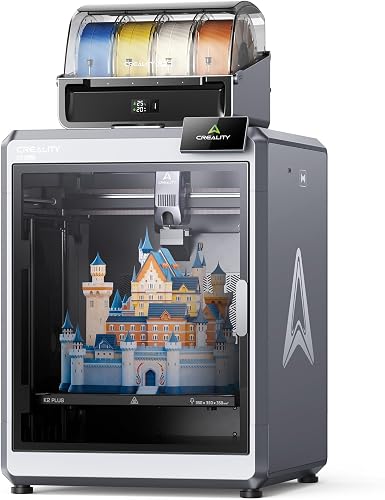
Multicolor gets more impressive — and more expensive in purge — as prints get bigger, and the K2 Plus Combo answers with a large enclosed build volume and Creality's CFS multi-filament system. For cosplay helmets, large signage, and multi-part assemblies that need to match in color, the volume is the feature: splitting a big multicolor print across a small bed introduces seams and color-matching headaches.
The usual Creality caveats apply: the ecosystem is younger than Bambu's, owner reports on changer reliability are more mixed, and you should read recent reviews rather than launch-day ones before buying. But the value per cubic centimeter of multicolor build volume is hard to beat.
- Pros: large enclosed build volume for big multicolor projects; competitive pricing
- Pros: enclosed chamber handles ABS/ASA; active community and mods
- Cons: changer reliability reports more mixed than Bambu's — check recent reviews
- Cons: big printer footprint — measure your space, not just the bed
 CrealityCheck price on Amazon →
Pros
- Large enclosed build volume
- Hard-to-beat value per cubic centimeter of multicolor volume
Cons
- Younger ecosystem than Bambu’s
- Read recent reviews — skip launch-day takes
Our verdict: Big multicolor for big projects — check recent owner reviews first.
Best for: Cosplay helmets and large multi-part assemblies. Not ideal for: Buyers who want the most mature ecosystem.
Anycubic Kobra 3 Combo — the value challenger Best budget multicolor
The Kobra 3 Combo with the ACE Pro changer is the price fighter: four-color printing at a cost that embarrasses machines twice its age. The ACE Pro even dries filament while it feeds, which is a genuinely useful trick in humid shops. For buyers who want multicolor on a strict budget — a classroom, a kid's first printer, a second machine — this is the one that makes the math work.
The compromises are speed, refinement, and ecosystem depth. It is not the fastest machine here, the out-of-box experience is less polished than the market leader's, and the community is smaller. But the prints come out multicolored, which is the entire point.
- Pros: lowest cost of entry to 4-color printing; ACE Pro dries filament while feeding
- Pros: good enough for PLA/PETG multicolor — the materials most buyers use
- Cons: slower and less refined than the premium options; smaller community
- Cons: open-frame design — engineering filaments need an enclosure
 (Bundle Anycubic Kobra 3 Max Combo 3D Printer) Large 3DCheck price on Amazon →
Pros
- Lowest price in this roundup
- ACE Pro dries filament while it feeds
Cons
- Slower and less polished out of the box
- Smaller community and ecosystem
Our verdict: Four-color printing at a price that makes the math work.
Best for: Strict budgets and first multicolor machines. Not ideal for: Buyers who want maximum speed and polish.
Prusa MK4S + MMU3 — the tinkerer's multi-material system Best for tinkerers
The odd one out, and deliberately so. Prusa's MMU3 is a five-filament changer for the MK4S — open-source, repairable down to the last bearing, and backed by the best documentation in the industry. It is slower than the purpose-built changers above and demands more tuning, but it is the only option here you can fully maintain yourself in ten years, and the only one from a company whose business model is the machine, not the filament.
Buy this if you enjoy the machine as much as the prints — if calibration is a hobby, not a chore. Buy one of the others if you want multicolor to just work. Both are valid; they are just different hobbies wearing the same hat.
- Pros: fully open-source and repairable; best-in-class documentation and support
- Pros: five filaments; huge mod and profile ecosystem
- Cons: slower multicolor workflow; more tuning than plug-and-play rivals
- Cons: premium price for the full system; not the beginner-friendly pick
 ORIGINAL PRUSACheck price on Amazon →
Pros
- Fully maintainable; best documentation in the industry
- Open-source and repairable down to the last bearing
Cons
- Slower than the purpose-built changers
- Demands more tuning
Our verdict: For owners who enjoy the machine as much as the prints.
Best for: Calibration-as-a-hobby owners. Not ideal for: Anyone who wants multicolor to just work.
Our verdict
For most buyers in 2026, the decision is between two machines: the Bambu Lab A1 Combo if your multicolor life is PLA and PETG — which, honestly, covers toys, models, organizers, and gifts — and the P1S Combo if you also need ABS or ASA, live somewhere humid, or just want the faster enclosed platform. The Kobra 3 Combo wins on pure budget, the K2 Plus Combo wins on volume, and the Prusa system wins if the machine itself is the hobby.
Whichever you choose, budget the hidden costs from day one: extra filament for purge, a dryer if your climate is damp, and patience on your first color-dense print. Multicolor printing rewards planning — pick models with color changes concentrated in a few layers, tune your flushing volumes down, and the "waste problem" shrinks to a footnote.
Cutting purge waste: the settings that matter
Three slicer settings decide your waste bill. Flushing volumes: the defaults are conservative — going from dark to light needs more flush than light to dark, and most slicers let you set this per-transition. Cutting the defaults by a third is safe on most machines. Flush into infill / flush into object: routes the purge plastic into the model's interior or into a sacrificial object instead of a tower — free waste reduction with no quality cost on most prints. Prime tower: keep it, but shrink it; it stabilizes the nozzle between swaps, and a small one beats none.
Design choice matters more than settings. A nameplate with text in a contrasting color on the top layers might add a dozen swaps; the same design with confetti colors scattered through every layer adds hundreds. When you are choosing models to print, look at the layer preview's color-change count before you commit — the slicer shows you the waste before you spend it.
Frequently asked questions
How many colors do I actually need?
Four covers the overwhelming majority of models — most multicolor designs use two or three. Systems that expand beyond four exist, but the purge cost and complexity scale faster than the benefit for home use.
Can I print different materials in each slot, or just colors?
Mostly colors of compatible materials — PLA with PLA, PETG with PETG. Mixing materials with different print temperatures in one nozzle causes clogs and poor layer adhesion. True multi-material (PLA + TPU, or PLA + soluble support) is toolchanger territory.
Does multicolor work with any slicer?
Use the slicer built for your machine's ecosystem — Bambu Studio, Creality Print, Anycubic's slicer, or PrusaSlicer. Generic slicers can drive these machines, but the changer logic, flushing volumes, and calibration routines live in the native software.
Is the purge waste bad enough to skip multicolor?
No — with tuned flushing volumes and flush-into-infill enabled, waste on typical prints is a modest surcharge, not a dealbreaker. It only gets ugly on designs with hundreds of layer-by-layer color changes, which is a design choice you can see coming in the slicer preview.