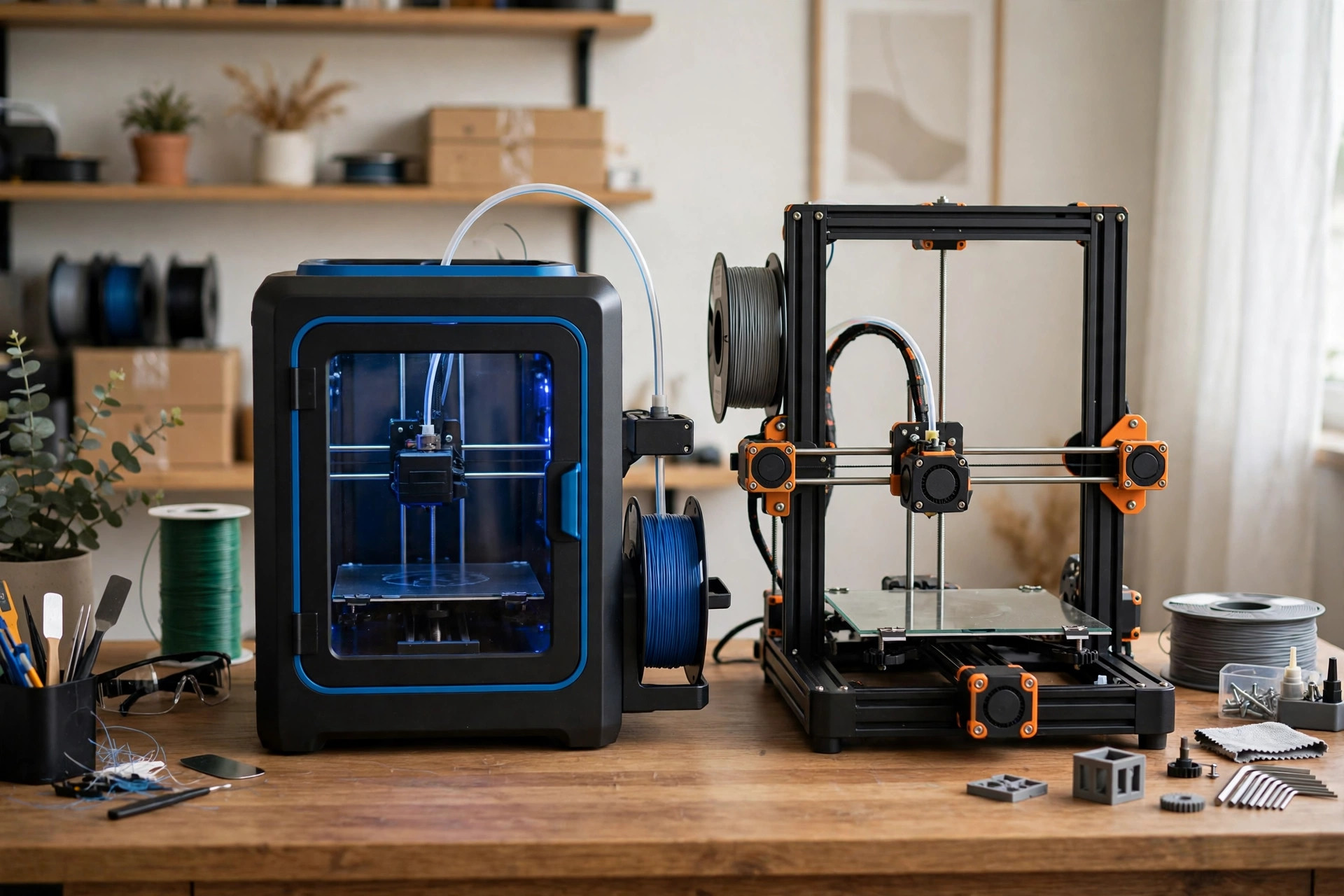
Two printers dominate the beginner conversation in 2026: the Bambu Lab A1, famous for working almost like an appliance, and the Creality Ender 3 V3, the modern heir to the most-tinkered-with printer line in history. They cost different amounts, they assume different owners, and the right choice depends less on specifications than on how you want to spend your weekends. This guide compares them the way an owner experiences them: setup day, the first month of prints, the first failure, and the first year of ownership.
Last updated: October 7, 2026 · Prices and availability checked October 2026.
PrintDialed is reader-supported. When you buy through links on our site, we may earn an affiliate commission.
Our picks
- Bambu Lab A1 Best for hands-off printing
- Creality Ender 3 V3 Best for tinkerers
How we test
We compare manufacturer specs, community feedback, and verified owner reviews; we don’t accept free products for placement.
The quick verdict
Buy the Bambu Lab A1 if you want the smoothest path from box to finished prints, value guided setup and maintained profiles, and are comfortable with a more closed ecosystem. Buy the Ender 3 V3 if you want a lower purchase price, enjoy understanding and maintaining your machine, and prefer open parts and a massive tinkering community. Both print well; they differ in who does the work — you, or the machine.
Check the Bambu Lab A1 price Check the Ender 3 V3 price
Side-by-side comparison
Bambu Lab A1 Best for hands-off printing
Pros
- Guided unboxing-to-first-print; calibration runs itself
- Automatic calibration and maintained profiles keep prints consistent
- Multi-color via the AMS lite unit
- Quieter in practice; holds resale value well
Cons
- More closed ecosystem; cloud-connected workflow
- More proprietary parts at Bambu prices
- Costs meaningfully more than the Ender 3 V3
Our verdict: Buy the A1 if you want the machine to do the work.
Best for: First printers, gifts, and multi-color in the first year. Not ideal for: Tinkerers who want open parts and standard components.
Creality Ender 3 V3 Best for tinkerers
Pros
- Meaningfully lower purchase price
- Standardized, cheap parts from countless suppliers
- Over half a decade of accumulated troubleshooting
- Open slicer ecosystem — knowledge transfers to any printer
Cons
- More initial tuning: belts, flow, profiles
- Audible in the next room during fast moves
- Single-color out of the box
Our verdict: Buy the Ender 3 V3 if you want to understand the machine — and pay less for the privilege.
Best for: Tinkerers, upgraders, and tight budgets. Not ideal for: Anyone who wants an appliance.
Print quality in practice
Both machines produce excellent PLA and PETG prints in 2026 — the gap that existed five years ago has narrowed to nearly nothing for typical models. The A1's advantage is consistency: automatic calibration, vibration compensation, and maintained profiles mean the tenth print looks like the first with minimal intervention. The Ender 3 V3 can match it, but getting there involves more initial tuning — belt tension, eccentric nuts, flow calibration, and finding the right profile for your filament.
Where differences persist: the A1 handles unattended printing with more confidence thanks to its monitoring features, while the Ender rewards owners who learn its mechanics with deep repairability. Neither is meaningfully better at the plastic itself; they differ in how much of your attention the plastic requires.
Ease of use and setup
This is the A1's home turf. Unboxing to first print is guided, calibration routines run themselves, and the slicer-to-printer path is integrated enough that beginners rarely get lost. The Ender 3 V3 is far easier than its ancestors — automatic leveling and a modern interface removed the old pain points — but it still assumes an owner willing to learn. Assembly, first-layer tuning, and occasional maintenance are part of the deal.
Ask yourself which sounds better: a printer you mostly operate, or a printer you partly maintain. There is no wrong answer — many owners genuinely enjoy the maintenance — but the answer picks your machine.
Multi-color printing
The A1 was designed with multi-color in mind: the AMS lite unit adds multi-filament capability with a workflow Bambu has refined over several generations. It works, with the usual caveats of filament-change systems — purge waste, longer print times, and more mechanical complexity. The Ender 3 V3 is a single-color machine out of the box; multi-color means third-party mods or a separate upgrade path that never integrates as cleanly. If multi-color matters to you in the first year, this category is not close.
Maintenance, parts, and longevity
Here the Ender 3 V3 punches back. Its parts are standardized, cheap, and available from countless suppliers; a worn nozzle, a tired belt, or a cracked extruder arm is a $10 fix with a video tutorial. The A1's parts supply is good and improving, but more assemblies are proprietary, which means you buy from Bambu's catalog at Bambu's prices and wait for Bambu's stock. Over a three-year ownership, the Ender is cheaper to keep running and easier to repair yourself.
Consider also the community knowledge base. The Ender line has over half a decade of accumulated troubleshooting for every conceivable failure. The A1's community is large and helpful, but younger — unusual failures have fewer documented fixes.
Price and total value
The Ender 3 V3 typically costs meaningfully less than the A1, and the gap widens with bundles — an A1 with the multi-color unit can approach twice the price of a sale-priced Ender. But compare working setups, not sticker prices. Budget two spools of quality filament, basic tools, and dry storage for either machine. The A1's premium buys time and convenience; the Ender's discount costs time and attention. Neither is objectively the better value — it depends on what your weekends are worth to you.
Who should buy which
Buy the Bambu Lab A1 if: this is your first printer and you want prints, not projects; you value your time over the price difference; multi-color appeals to you; or you are buying for someone else (a kid, a partner, a classroom) and need it to just work.
Buy the Ender 3 V3 if: you enjoy understanding how machines work; you want the lowest entry price with real capability; you plan to modify, repair, and upgrade over time; you prefer open ecosystems and standard parts; or the price difference funds the filament and tools you would otherwise skip.
Consider neither if: you need an enclosed machine for ABS/ASA (look at enclosed CoreXY options), you primarily want miniatures (consider resin), or you need a much larger build volume (both of these are mid-size machines).
The final decision
These are both good printers, and the most common mistake is agonizing over specifications instead of matching the machine to the owner. The buyer who wants an appliance and buys the Ender will resent the tinkering; the buyer who wants a project and buys the A1 will feel fenced in. Choose based on the relationship you want with the machine, buy from a seller with a real return policy, and run the first month on one known-good spool of PLA before changing anything.
Software: Bambu Studio vs the Creality path
Software is part of the purchase, and the philosophies differ. Bambu Studio is a polished fork of the open-source slicer lineage, tightly integrated with the printer: send a print over the network, watch the camera, and manage filament profiles in one place. It is genuinely pleasant to use, with the caveat that the smoothest features assume you are comfortable with Bambu's cloud-connected workflow. Offline operation exists, but the product is designed around the connected experience.
The Ender 3 V3 works with Creality's slicer as well as the broader open ecosystem — OrcaSlicer, PrusaSlicer, and Cura all have maintained profiles for it. This flexibility is a strength and a homework assignment: more choices mean more decisions about which profile to trust. Owners who enjoy dialing in settings will find this freedom delightful; owners who want one blessed profile may find it paralyzing. Either way, the open path means your slicer knowledge transfers to any future printer, while Bambu-specific workflows transfer mostly to other Bambu machines.
Noise, footprint, and living with the machine
Both are bed slingers, which means the bed moves and the machine needs clearance front and back — budget roughly 50 × 50 cm of desk plus room for the spool. Neither is silent. The A1 runs quieter in practice thanks to better motion tuning and a more rigid frame, making it the easier roommate in an apartment. The Ender 3 V3 is audible in the next room during fast moves; a concrete paver under the printer and sensible placement tame most of it.
Consider where the printer will live before choosing. A machine in a home office you occupy all day should be the quieter one; a machine in a garage or spare room can be the louder, cheaper one. Owners consistently underestimate how much placement affects satisfaction — the best printer is the one you can run without negotiating with everyone in the house.
Resale value and the upgrade path
Consider what happens in two years when you want a bigger, faster, or enclosed machine. Bambu Lab printers hold resale value well because buyers trust that a used one will work — the appliance reputation cuts both ways. Ender 3 V3 machines sell for less used, but their parts retain value individually, and a well-maintained one with documented upgrades finds buyers quickly in maker communities.
The upgrade path also differs. A1 owners tend to upgrade by adding to the ecosystem — the multi-color unit, a second Bambu machine — while Ender owners tend to upgrade by modifying or by graduating to a printer they now understand well enough to choose wisely. Neither path is better, but they attract different personalities: ecosystem loyalists versus perpetual tinkerers. Know which one you are.